Cloud Computing Basics: Why AWS and Azure Skills Are a Growing Entry Point for Non-IT Professionals
The IT industry is changing how businesses operate.
Companies no longer depend entirely on physical computers, office servers and traditional storage systems. They increasingly use cloud technology to store information, run applications, manage business operations and access resources from different locations.
This shift has created opportunities for people with different educational backgrounds.
But here is a common question among non-IT graduates:
“Can I build a career in cloud computing without having a technical degree or programming background?”
The answer is yes, provided you learn the right fundamentals, develop practical skills and prepare for suitable entry-level roles.
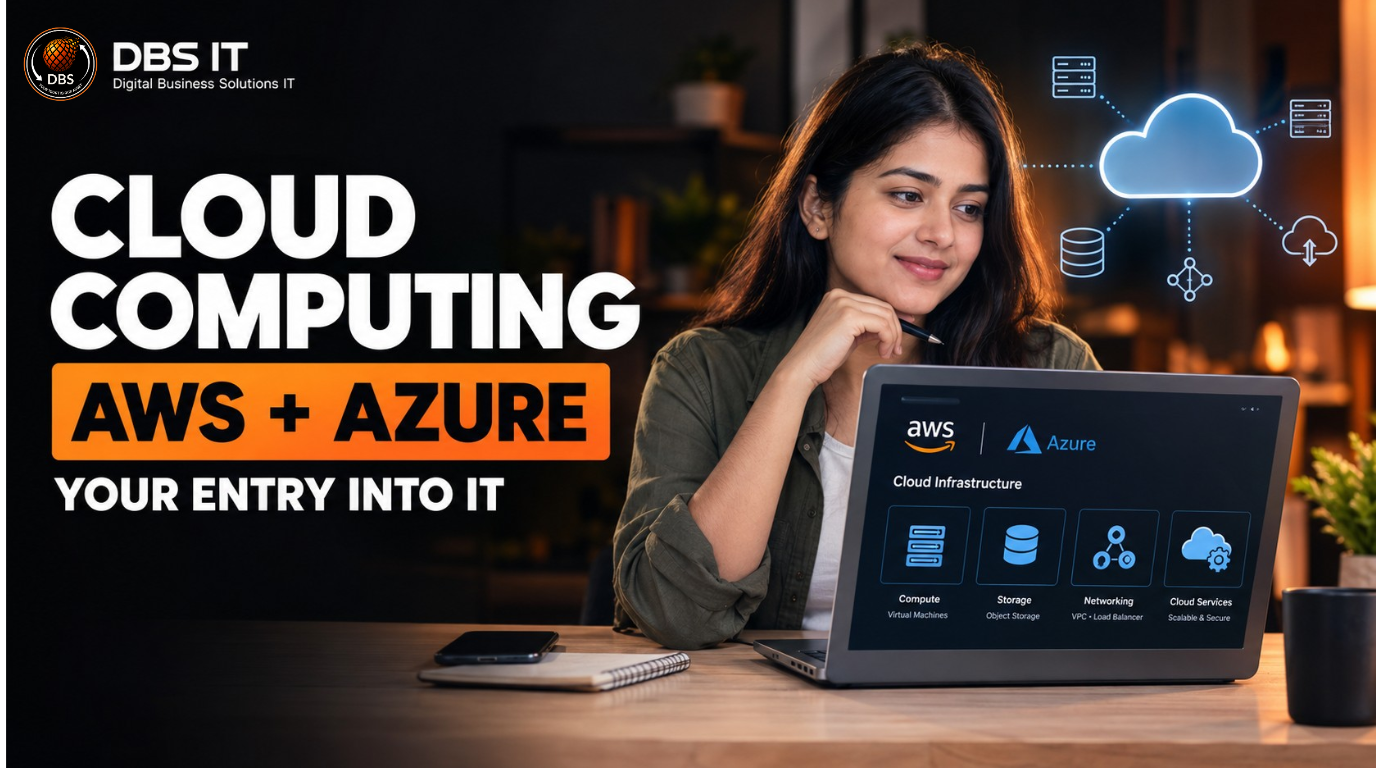
Platforms like Amazon Web Services (AWS) and Microsoft Azure have made cloud technology an important area of IT learning.
Let’s understand what cloud computing means, why businesses use it and how non-IT professionals can begin learning AWS and Azure.
1. What Is Cloud Computing? Understanding the Basics
Cloud computing means using computing resources over the internet instead of depending entirely on physical equipment at your location.
These resources can include:
- Data storage
- Servers
- Databases
- Networking
- Software applications
- Computing power
Think about Google Drive.
You can upload documents, save photographs and access files from different devices without carrying a physical storage device everywhere.
That is a familiar example of cloud-based storage.
Businesses use the same concept on a much larger scale.
Instead of purchasing and maintaining every server themselves, companies can rent computing resources from cloud providers such as AWS and Microsoft Azure.
This gives businesses flexibility.
They can increase resources when demand grows, reduce usage when demand falls and access services without managing every physical component.
Cloud computing also follows a consumption-based model in many services. Businesses pay according to the resources they use, although pricing depends on the service and billing arrangement.
For someone entering the IT industry, understanding this concept is a useful starting point.
You do not need to understand every technical feature immediately.
Start by learning how businesses use cloud services and why they depend on them.
1.1 How Does Cloud Computing Work?
Imagine an online shopping company.
Thousands of customers visit its website every day.
The company needs systems to manage customer accounts, product information, payments and orders.
Traditionally, it might maintain its own physical servers and infrastructure.
With cloud computing, it can use services provided by a cloud platform.
Here is a simplified process:
- The company creates an account with a cloud provider.
- It selects the computing resources required for its applications.
- The cloud provider makes those resources available through its infrastructure.
- The company’s IT team manages its applications, access and configurations according to the service model.
- The business monitors performance, security and usage.
Cloud providers operate large data centres containing computing equipment and networking systems.
Users access cloud services through the internet or private network connections.
For beginners, three concepts are especially important:
- Availability: Keeping services accessible when required.
- Scalability: Increasing or decreasing resources based on demand.
- Reliability: Designing systems to continue operating consistently.
Understanding these concepts helps beginners connect cloud technology with real business requirements.
1.2 Types of Cloud Computing Services
Cloud services are commonly divided into three categories.
IaaS – Infrastructure as a Service
Businesses rent infrastructure such as virtual machines, storage and networking resources.
Example: Renting a virtual server instead of purchasing a physical server.
PaaS – Platform as a Service
Businesses use a ready-made platform to develop and manage applications without handling all the underlying infrastructure.
Example: Using a managed application platform.
SaaS – Software as a Service
Users access software through the internet without installing and maintaining the complete application infrastructure themselves.
Examples include Microsoft 365 and Google Workspace.
Understanding these three categories is important because they explain how cloud providers serve different business requirements.
A beginner should first learn the differences rather than trying to memorise hundreds of cloud services.
2. What Are AWS and Microsoft Azure?
AWS and Microsoft Azure are two major cloud computing platforms.
Both provide businesses with access to computing power, storage, databases, networking, security and other technology services.
However, their service names, interfaces and management features differ.
Understanding these platforms can help beginners identify which cloud environment they want to study.
2.1 Understanding Amazon Web Services (AWS)
Amazon Web Services (AWS)
AWS is a cloud computing platform offered by Amazon.
It provides services that allow businesses to run applications, store information, manage servers and build technology infrastructure.
Some important AWS services include:
- Amazon EC2: Provides virtual computing servers.
- Amazon S3: Provides object storage.
- Amazon RDS: Provides managed relational database services.
- Amazon VPC: Helps create isolated virtual networks.
- AWS IAM: Manages identities and access permissions.
- Amazon CloudWatch: Helps monitor resources and applications.
Consider a company that wants to host its website.
It can use Amazon EC2 to run the application and Amazon S3 to store files.
Its IT team can use monitoring and security services to manage the environment.
For beginners, AWS offers the Cloud Practitioner learning path.
The AWS Certified Cloud Practitioner certification is designed to validate foundational knowledge of AWS services, cloud concepts, security, pricing and support.
AWS also identifies it as a starting point for people with no previous IT or cloud experience who are exploring a cloud career.
Amazon Web Services, Inc.+1
2.2 Understanding Microsoft Azure
Microsoft Azure is Microsoft’s cloud computing platform.
It allows organisations to build, deploy and manage applications and infrastructure using Microsoft’s global cloud services.
Some important Azure services include:
- Azure Virtual Machines: Provides virtual computing environments.
- Azure Blob Storage: Stores unstructured data.
- Azure SQL Database: Provides managed database services.
- Azure Virtual Network: Connects Azure resources through virtual networks.
- Microsoft Entra ID: Supports identity and access management.
- Azure Monitor: Helps monitor cloud environments.
Azure is particularly relevant in organisations that use Microsoft technology across their business operations.
For example, a company using Microsoft 365 and other Microsoft enterprise tools may also use Azure for infrastructure, identity management and application hosting.
Beginners can start with Microsoft Azure Fundamentals, commonly known as AZ-900.
Its learning objectives cover cloud concepts, Azure architecture, services, management and governance.
Microsoft Learn+1
3. Why Are AWS and Azure Skills Valuable in Today’s IT Industry?
Businesses increasingly use cloud platforms to support their operations.
From online shopping platforms to financial services, organisations need systems that can store information, manage applications and support users.
Cloud computing provides tools to meet these requirements.
For IT professionals, this creates opportunities to work in areas such as infrastructure management, cloud administration, monitoring and technical support.
For non-IT professionals, it offers another learning path into the technology industry.
However, learning AWS or Azure does not automatically qualify someone for every cloud-related job.
The right approach is to understand the platform, learn supporting IT concepts and practise common tasks.
3.1 Growing Use of Cloud Technology
Businesses use cloud services for several reasons.
Business flexibility: Organisations can access computing resources without purchasing all infrastructure upfront.
Remote accessibility: Employees can access authorised applications and resources from different locations.
Scalability: Companies can adjust resources as their requirements change.
Business continuity: Cloud services offer options for backup, recovery and availability planning.
Cost management: Businesses can choose consumption-based services and manage infrastructure expenses according to their requirements.
These advantages have encouraged organisations to include cloud platforms in their technology strategies.
AWS and Azure provide structured beginner learning paths that cover these fundamentals.
This makes them useful platforms for people who want to understand modern IT infrastructure.
3.2 Opportunities Across Different Industries
Cloud computing is not restricted to technology companies.
Different industries use cloud platforms for different purposes.
| Industry | Cloud computing applications |
| Banking | Data management and digital banking infrastructure |
| Healthcare | Applications and information management |
| E-commerce | Website hosting and customer applications |
| Education | Online learning platforms |
| Insurance | Business applications and data storage |
| Retail | Inventory systems and digital operations |
| IT services | Infrastructure and application management |
For example, a banking professional may already understand financial operations, customer processes and business systems.
With additional IT training, that person can begin exploring technical support or cloud-related infrastructure roles.
The existing industry experience does not disappear during a career switch.
Instead, it can provide useful business context when combined with relevant IT skills.
4. Can Non-IT Professionals Start a Cloud Computing Career?
One of the biggest concerns among non-IT graduates is their educational background.
Many believe that an IT career requires a computer science degree.
But the IT industry includes different job functions.
Not every role involves software development or writing code.
Cloud computing also includes operational and support responsibilities.
These may involve monitoring systems, checking resource usage, managing access, responding to technical issues and supporting infrastructure teams.
A non-IT graduate can start by learning foundational subjects and gradually build the knowledge needed for an appropriate role.
For example, someone with a B.Com degree may have experience with financial processes, documentation and reporting.
Someone from BBA or MBA may understand business operations, communication and coordination.
These skills can be useful in IT support and operations environments.
The important point is to build technical understanding alongside existing professional skills.
4.1 Do You Need a Technical Degree?
A traditional technical degree is not the only way to begin learning cloud computing.
AWS offers foundational certification for individuals without previous IT or cloud experience.
Microsoft also provides beginner-level Azure learning resources.
Amazon Web Services, Inc.+1
However, there is an important distinction between learning cloud fundamentals and qualifying for a technical job.
Employers may expect candidates to understand operating systems, networking, troubleshooting and basic infrastructure concepts.
Some positions also require previous IT experience or specific educational qualifications.
Therefore, non-IT graduates should focus on developing the skills required for the particular job they are targeting.
A practical learning plan can include:
- Basic computer and operating system knowledge.
- Linux fundamentals.
- Networking concepts.
- Cloud platform fundamentals.
- User access and security basics.
- Monitoring and troubleshooting.
- Hands-on practice.
Your educational background may influence which opportunities are suitable, but it should not stop you from exploring IT as a career option.
4.2 Is Coding Mandatory for Cloud Computing?
No. Coding is not mandatory for every cloud-related role.
Some cloud jobs focus more on infrastructure operations, technical support, monitoring and administration.
These positions may involve using dashboards, command-line tools and configuration settings.
However, basic scripting and automation knowledge can become useful as you progress.
For example:
- Cloud support professionals investigate service-related issues.
- Infrastructure support teams monitor systems.
- Cloud administrators manage resources and permissions.
- Cloud engineers may automate deployments and infrastructure tasks.
Advanced cloud engineering and DevOps roles usually require stronger programming, scripting and automation skills.
The best approach is to understand your target role before deciding how much coding you need to learn.
If you are starting from a non-IT background, first focus on cloud fundamentals, Linux, networking and practical troubleshooting.
You can build scripting skills gradually as your technical knowledge improves.
5. Skills Required to Start Learning AWS and Azure
Learning a cloud platform is easier when you understand the basic technology concepts behind it.
AWS and Azure provide different services, but many foundational concepts apply to both platforms.
Instead of memorising service names, beginners should understand what each service does and why a business might use it.
Here are the important skills to start with.
5.1 Linux and Operating System Basics
Linux is widely used in server environments.
Many cloud-based applications and workloads operate on Linux systems.
Understanding Linux helps beginners learn how servers work and how IT teams manage them.
Start with:
- Basic Linux commands.
- File and directory management.
- File permissions.
- User and group management.
- Process management.
- Basic troubleshooting.
- System monitoring.
For example, an IT support professional may need to check whether a service is running or investigate why a particular application is not responding.
Basic Linux knowledge helps with these tasks.
You do not need to become a Linux administrator immediately.
Start with common commands and practise them regularly.
5.2 Networking Fundamentals
Networking explains how computers and systems communicate.
Cloud environments depend heavily on networking because applications, servers and databases need to exchange information.
Important beginner concepts include:
- IP addresses.
- DNS.
- Routers and switches.
- Firewalls.
- Ports and protocols.
- Public and private networks.
- VPN connections.
- TCP/IP fundamentals.
Consider a user who cannot access a business application.
The problem could involve an internet connection, DNS configuration, firewall settings or server availability.
Understanding networking helps technical teams investigate these problems systematically.
For cloud professionals, networking knowledge is especially important when working with virtual networks, connectivity and security configurations.
5.3 Cloud Platforms and Practical Skills
After learning the fundamentals, start exploring AWS or Azure.
Understand common services and practise basic activities.
For AWS, beginners can explore:
- EC2
- S3
- IAM
- VPC
- CloudWatch
For Azure, beginners can explore:
- Virtual Machines
- Blob Storage
- Virtual Networks
- Microsoft Entra ID
- Azure Monitor
Practical exercises can include creating a virtual machine, configuring storage, managing user permissions and checking resource usage.
Also learn basic cloud security and cost management.
Cloud resources can create unexpected expenses if they are left running or configured incorrectly.
Always understand free-tier limits and billing rules before using services.
A combination of theory, practical exercises and troubleshooting builds stronger foundations than watching tutorials alone.
6. Entry-Level Career Opportunities in Cloud Computing
Cloud computing knowledge can support several IT career paths.
The right starting role depends on your skills, previous experience, practical training and employer requirements.
Non-IT professionals should focus on roles that match their current knowledge while allowing them to develop technical skills.
Here are some positions worth exploring.
6.1 Cloud Support Associate
A Cloud Support Associate helps users and internal teams resolve cloud-related issues.
Common responsibilities include:
- Investigating access problems.
- Checking service availability.
- Supporting basic cloud configurations.
- Monitoring resources.
- Recording technical issues.
- Escalating complex problems.
This role requires communication, logical thinking and foundational cloud knowledge.
People with customer service or BPO experience may find their communication and issue-handling skills useful when preparing for support-oriented positions.
However, they must also develop the technical knowledge required by the employer.
6.2 IT Infrastructure Support
IT Infrastructure Support professionals help maintain the systems businesses depend on.
Their responsibilities may include:
- Monitoring servers.
- Checking system performance.
- Supporting operating systems.
- Managing basic user access.
- Investigating connectivity issues.
- Assisting infrastructure teams.
Linux, Windows, networking and troubleshooting are useful skills for this career path.
Cloud fundamentals can help candidates understand how traditional infrastructure connects with cloud-based environments.
6.3 Junior Cloud Administrator
A Junior Cloud Administrator assists with the management of cloud resources.
Depending on the organisation, responsibilities may include:
- Managing virtual machines.
- Monitoring cloud resources.
- Configuring storage.
- Supporting user permissions.
- Reviewing resource usage.
- Assisting with backup and security processes.
This role generally requires stronger foundational knowledge of the selected cloud platform.
Hands-on practice is particularly important because employers may assess how candidates approach real technical tasks.
6.4 Technical Support Engineer
Technical Support Engineers investigate problems related to software, systems, applications and infrastructure.
Their work can involve:
- Understanding user complaints.
- Diagnosing technical issues.
- Following troubleshooting procedures.
- Documenting solutions.
- Coordinating with technical teams.
- Escalating unresolved incidents.
Communication and problem-solving are important in this role.
Candidates with previous experience in customer service, operations or process management may have transferable skills.
Adding Linux, networking and cloud knowledge can help them prepare for technical support opportunities.
7. AWS vs Azure: Which Should Beginners Learn First?
Both AWS and Microsoft Azure are valuable cloud platforms.
Neither is automatically the best option for every beginner.
Your choice should depend on your learning goals, preferred job roles and the technology environments you want to understand.
Choose AWS if:
- You want to understand Amazon’s cloud ecosystem.
- You want to start with AWS foundational services.
- You are interested in learning AWS infrastructure concepts.
Choose Azure if:
- You want to understand Microsoft’s cloud ecosystem.
- You are interested in Microsoft enterprise environments.
- You want to explore Azure administration and infrastructure.
My recommendation for beginners is simple:
Choose one platform first.
Understand its core services, complete practical exercises and build confidence before attempting to learn both platforms together.
You can always add the second platform later.
8. How to Start Learning Cloud Computing from Scratch
Starting a cloud computing career does not require learning everything at once.
A structured learning plan can help non-IT professionals build their knowledge step by step.
The goal should be to understand the basics, practise common tasks and prepare for a suitable entry-level IT position.
Here is a practical learning roadmap.
Step 1: Understand Basic IT Concepts
Start with the fundamentals.
Learn how operating systems, servers, networks and databases work.
Focus on:
- Computer fundamentals.
- Windows and Linux.
- Basic networking.
- IP addresses and DNS.
- Introduction to servers and databases.
These concepts will help you understand cloud technology more easily.
Step 2: Learn Linux and Networking
Spend time practising Linux commands and networking concepts.
Learn how to manage files, check system processes, understand permissions and investigate basic connectivity issues.
Do not limit your learning to theoretical definitions.
Practise commands and understand where they are used in real IT environments.
Step 3: Choose AWS or Azure
Select one cloud platform.
If you choose AWS, begin with AWS Cloud Practitioner learning resources.
If you choose Azure, start with Microsoft Azure Fundamentals.
Learn:
- Cloud computing concepts.
- Virtual machines.
- Cloud storage.
- Networking.
- Identity and access management.
- Monitoring.
- Security fundamentals.
- Cloud pricing.
Official beginner learning resources:
Step 4: Practise Through Hands-On Activities
Practical experience helps turn theoretical knowledge into usable skills.
Try these beginner activities:
- Create a virtual machine.
- Explore cloud storage.
- Create and manage user permissions.
- Configure basic network settings.
- Monitor cloud resources.
- Understand basic security settings.
- Review resource usage and billing.
Document what you learn.
This will also help you explain your practical work during interviews.
Step 5: Prepare for Interviews
Learning cloud computing is only one part of becoming job-ready.
You should also prepare for technical and HR interviews.
Practise explaining:
- What cloud computing means.
- Differences between AWS and Azure.
- What virtual machines do.
- What Linux is used for.
- Basic networking concepts.
- How you would approach a technical issue.
- What you learned from your practical exercises.
Also work on communication, problem-solving and confidence.
A candidate who can explain a concept clearly and demonstrate practical understanding has a stronger foundation for an entry-level interview.
9. Final Thoughts: Take Your First Step Towards an IT Career
Your educational background does not have to define the limits of your career.
If you studied commerce, arts, management or another non-IT subject, you can still begin learning technology and explore opportunities in the IT industry.
Cloud computing is one area worth considering because businesses use cloud platforms to manage infrastructure, applications, storage and operations.
AWS and Microsoft Azure provide beginner-friendly learning resources that can help you understand these systems.
But remember:
Watching tutorials is not the same as developing job-ready skills.
You need a clear learning path, regular practice, an understanding of Linux and networking, and preparation for the role you want to pursue.
You should also research job descriptions before choosing a training programme.
Identify the skills employers expect and work towards developing them.
Your career switch does not have to begin with a computer science degree. It can begin with the decision to learn something new.
If you are working in sales, banking, BPO, finance or another non-IT field, start exploring the possibilities.
The first step is understanding where you want to go.
The next step is building the skills to get there.
Part 7: How Digital Business Solutions IT Can Help You Start Your IT Journey
Changing careers can feel confusing when you do not know which skills to learn or where to begin.
At Digital Business Solutions IT (DBS IT), we help non-IT graduates and working professionals understand IT career opportunities and build the foundational skills needed to explore a career transition.
Our structured career transition programme focuses on practical learning, guided sessions and interview preparation.
The learning approach includes:
- Linux and Unix fundamentals.
- SQL and NoSQL basics.
- Business analysis concepts.
- Practical learning sessions.
- Mock tests and doubt-clearing sessions.
- Communication and interview preparation.
- Resume and professional profile guidance.
Whether you are exploring cloud computing, IT support, business analysis or other IT career paths, understanding the fundamentals is an important starting point.
Want to explore a career change from Non-IT to IT?
Connect with Digital Business Solutions IT.
Website: Digital Business Solutions IT
Start with a career discussion and understand which learning path may suit your background and goals.
Part 8: Frequently Asked Questions (SEO FAQ Section)
1. Can a non-IT graduate learn cloud computing?
Yes. Non-IT graduates can learn cloud computing by starting with computer fundamentals, Linux, networking and cloud platform basics. Practical training helps prepare for suitable entry-level positions.
2. Is coding required to learn AWS or Azure?
Coding is not compulsory for every beginner-level cloud learning path or support role. However, scripting and automation can be useful for advanced cloud administration and engineering positions.
3. Which is better for beginners: AWS or Azure?
Both are good starting points. AWS offers Cloud Practitioner, while Microsoft offers Azure Fundamentals (AZ-900). Choose according to your learning goals and target job requirements.
4. What are the entry-level jobs in cloud computing?
Some roles to explore include:
- Cloud Support Associate.
- IT Infrastructure Support.
- Junior Cloud Administrator.
- Technical Support Engineer.
Actual eligibility depends on employer requirements and your practical skills.
5. How long does it take to learn cloud computing?
The learning period depends on your existing knowledge, practice time and target role. Beginners should first build IT fundamentals before moving towards cloud platforms and hands-on exercises.
6. Are AWS and Azure certifications enough to get a job?
Certifications help demonstrate knowledge, but they do not guarantee employment. Practical experience, troubleshooting ability, communication and interview preparation are also important.
Part 9: Visual and On-Page SEO Recommendations
To improve the reading experience and support accessibility, use the following visual assets.
Visual 1: What Is Cloud Computing?
Suggested placement: Under the first H2.
Alt text: Cloud computing infrastructure showing servers, storage and network services.
AWS VS Azure: What Is the Difference?
Visual 2: AWS vs Azure
Suggested placement: Under the platform comparison section.
Alt text: Comparison of AWS and Microsoft Azure cloud computing platforms.
Visual 3: Cloud Career Roadmap
Suggested placement: Under the learning roadmap.
Alt text: Beginner cloud computing career roadmap showing Linux, networking and cloud skills.
External authoritative resources
These links support the technical information in the blog: