AI Won’t Replace You — But Someone Using AI Will: A Wake-Up Call for Non-IT Professionals
For years, artificial intelligence sounded like something reserved for software engineers, data scientists and technology companies.
That is no longer the case.
AI is becoming part of everyday work.
A sales employee can use AI to prepare for a client call.
A recruiter can use it to organize job descriptions.
A marketer can use it to generate campaign ideas.
An operations employee can use it to summarize reports.
A customer-support professional can use it to organize repetitive queries.
You do not have to become a programmer to benefit from these changes.
But ignoring them can become a career problem.
The World Economic Forum’s Future of Jobs Report 2025 says 39% of workers’ core skills are expected to change by 2030. It also identifies AI and big data, technological literacy, analytical thinking and creative thinking among skills expected to become increasingly important.
The important question is therefore not:
“Will AI take my job?”
A better question is:
“How can I become better at my job by using AI?”
AI Is Not Just an IT Problem
AI is often discussed as a technology issue.
That makes many non-IT professionals switch off immediately.
They hear words such as machine learning, algorithms, automation, APIs and programming.
Then they think:
“That is for IT people.”
But workplace AI is much broader than building AI systems.
Most employees will interact with AI as users, decision-makers and problem solvers rather than as people who build AI models.
The World Economic Forum reports that 86% of surveyed employers expect AI and information-processing technologies to transform their businesses by 2030. It also reports that 77% plan to reskill or upskill employees to work more effectively alongside AI.
That means AI skills are becoming relevant outside traditional technology roles.
AI Is Already Changing Everyday Work
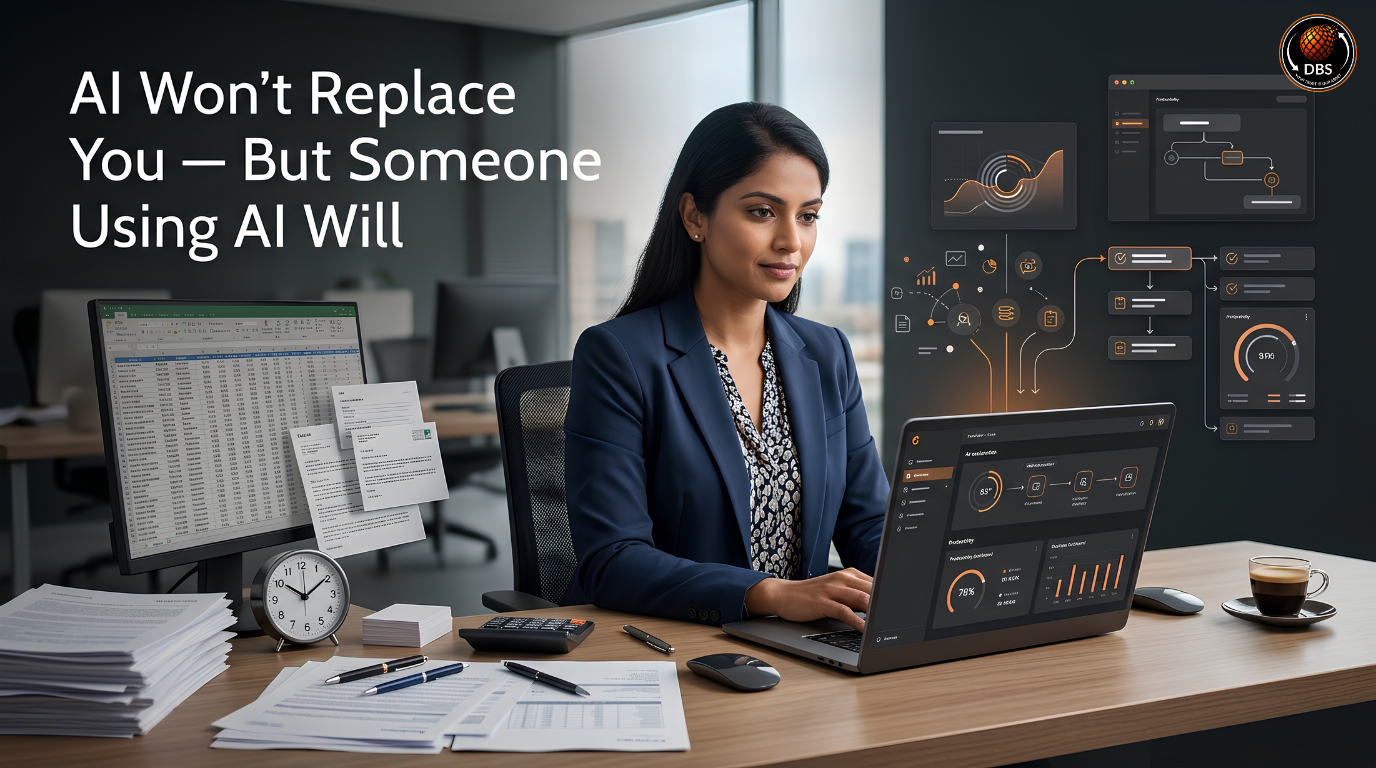
Think about a typical office employee.
Their day might include:
- Writing emails
- Preparing reports
- Researching information
- Creating presentations
- Summarizing meetings
- Preparing documents
- Analyzing spreadsheets
- Responding to customers
- Creating social media content
- Preparing proposals
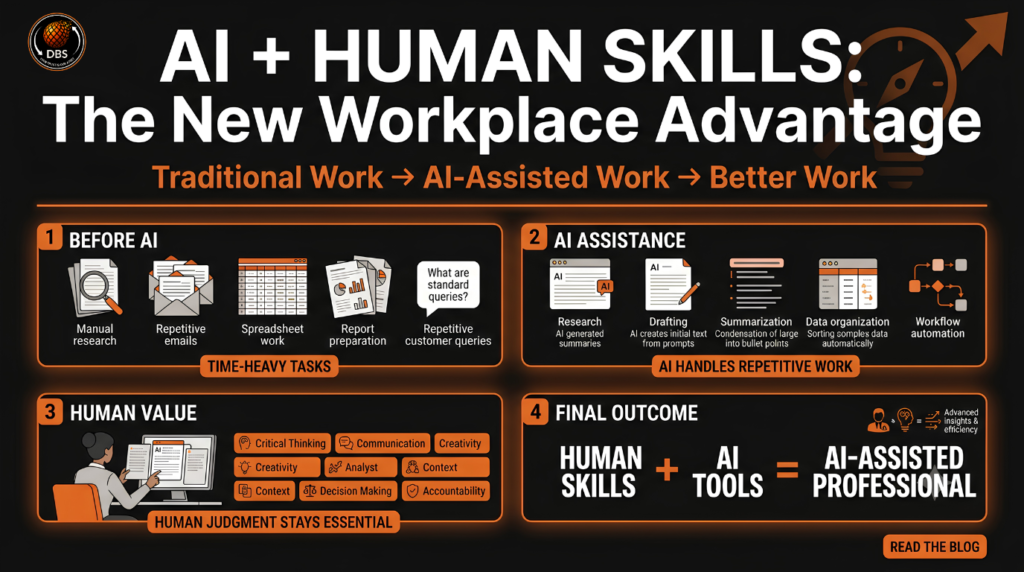
AI can assist with many of these tasks.
It does not automatically make the employee unnecessary.
Instead, it can change how quickly the employee completes the work.
The difference becomes important when two people have similar experience but one knows how to use modern AI tools effectively.
The second person may be able to research faster, create first drafts faster and spend more time checking decisions and solving problems.
The Real Risk Is Staying Exactly the Same
Technology has always changed jobs.
The problem is not that every job disappears.
The problem is that the tasks inside a job change.
A person who refuses to learn new tools may eventually find that their old way of working takes much longer than the new standard.
The World Economic Forum expects 39% of workers’ core skills to change by 2030.
That is why continuous learning matters.
You do not need to learn everything.
You need to identify which parts of your work are changing and build the skills required for those parts.
What Does “Someone Using AI Will” Actually Mean?
The phrase sounds dramatic.
But its meaning is practical.
It does not necessarily mean:
“AI will take your job tomorrow.”
It means:
“Your competition may use better tools to perform similar work.”
Imagine two sales executives.
Both have five years of experience.
Both understand their product.
Both communicate well.
One spends an hour researching every prospect manually.
The other uses AI to create a first-pass account summary, identify likely customer concerns and prepare questions before the meeting.
The second person still needs judgment.
They still need communication skills.
They still need product knowledge.
But their workflow has changed.
AI Does Not Need to Replace the Entire Job
A job can be affected even when only a few tasks become automated.
Suppose an employee spends eight hours performing ten different tasks.
If AI helps reduce the time required for three repetitive tasks, the employee’s entire role does not disappear.
The employee now has more time for other work.
This is why the AI conversation should move away from an overly simple question:
“Will AI replace this profession?”
A more useful question is:
“Which tasks inside this profession can AI assist with?”
That question gives professionals something they can act on.
One Person With Better Tools Can Produce More
AI can increase the amount of work one person can complete.
For example:
A marketer can create several campaign concepts before selecting one.
A salesperson can prepare personalized research before contacting a prospect.
An HR professional can organize candidate information faster.
An operations employee can summarize large amounts of text before reviewing the details.
The tool does not make the final decision.
The professional still has to judge whether the output is accurate, useful and appropriate.
That human responsibility remains important.
Which Non-IT Jobs Are Being Affected by AI?
AI is not restricted to software development.
Its impact can appear anywhere employees regularly work with information, communication, documents, data or repetitive digital tasks.
The OECD’s 2026 report on AI and skills notes that AI increases the importance of using, analyzing and interpreting data, while a lack of skills remains a major barrier to AI adoption.
Sales and Business Development
Sales professionals can use AI for:
- Prospect research
- Call preparation
- Email drafts
- Follow-up messages
- Objection preparation
- Meeting summaries
- Customer segmentation
The salesperson still owns the relationship.
AI simply helps reduce repetitive preparation.
The valuable combination is:
Sales knowledge + customer understanding + AI tools.
Marketing and Content
Marketing teams can use AI for:
- Content ideas
- Research
- Drafting
- Content repurposing
- Campaign variations
- Audience analysis
- Competitor research
But AI-generated content still requires human review.
Brand voice, factual accuracy, originality and audience understanding cannot simply be handed over to a tool.
HR and Recruitment
HR teams can use AI to assist with:
- Job description drafts
- Interview question generation
- Candidate communication
- Resume organization
- Employee communication
- Training material creation
Recruitment decisions still require human judgment.
Sensitive employment decisions also require appropriate review, fairness checks and compliance with applicable rules.
Banking, Finance and Operations
Professionals working with financial or operational information can use AI to:
- Summarize documents
- Identify patterns
- Draft reports
- Organize information
- Create first-pass analyses
- Automate repetitive workflows
The more important the decision, the more important human verification becomes.
Customer Support and BPO
Customer-support professionals can use AI for:
- Suggested responses
- Knowledge-base searches
- Conversation summaries
- FAQ creation
- Ticket classification
- Follow-up drafts
The employee can spend less time searching for information and more time handling complex customer situations.
You Do Not Need to Become a Programmer to Use AI
This is one of the biggest misconceptions about AI.
There are two very different activities:
- Building AI technology
- Using AI technology
You can use AI without becoming an AI engineer.
A sales executive does not need to build a language model before using AI to prepare a sales email.
An HR executive does not need to become a machine-learning engineer before using AI to organize interview questions.
A marketing executive does not need to learn Python before using AI for campaign brainstorming.
AI literacy is the starting point.
The World Economic Forum identifies technological literacy as one of the skills expected to increase in importance, alongside AI and big data.
AI Literacy Comes Before Coding
Basic AI literacy means understanding:
- What AI can do
- What AI cannot reliably do
- How to give useful instructions
- How to check AI output
- How to protect sensitive information
- When human judgment is required
- How AI fits into your existing workflow
These are practical workplace skills.
You can learn them without becoming a programmer.
Learn AI Around Your Existing Job
Do not start with:
“I need to learn AI.”
Start with:
“I need to solve this problem using AI.”
For example:
“I spend 30 minutes every morning writing routine emails.”
That is a much better learning starting point.
You can learn how to use AI to create a first draft.
Then you can learn how to improve the instructions.
Then you can build a repeatable workflow.
Your learning becomes connected to a real workplace problem.
The 5 AI Skills Non-IT Professionals Should Build
AI tools will change.
Specific platforms will change.
The underlying skills are more durable.
Prompting and Clear Instructions
AI responds to instructions.
Better instructions generally produce more useful results.
Instead of writing:
“Write an email.”
Give context:
“Write a professional follow-up email to a customer who attended a product demonstration but has not responded for five days. Keep it under 100 words and use a helpful, non-pushy tone.”
The second instruction gives the AI a clearer task.
Good prompting is essentially clear communication with additional context.
AI-Assisted Research
AI can help organize information quickly.
You can ask it to:
- Summarize a topic
- Create research questions
- Compare concepts
- Identify themes
- Structure notes
- Generate a research checklist
But important facts should be verified against reliable sources.
AI output is not automatically evidence.
Data Interpretation
You do not necessarily need to become a data scientist.
But understanding basic data can become increasingly useful.
Learn to:
- Read charts
- Identify trends
- Compare numbers
- Ask useful questions
- Detect unusual results
- Explain findings clearly
The OECD’s 2026 analysis specifically highlights growing importance around using, analyzing and interpreting data in an AI-enabled workplace.
Workflow Automation
Look at repetitive work.
Ask:
“What do I repeatedly copy, paste, summarize, classify or rewrite?”
Those tasks may be candidates for automation or AI assistance.
For example:
Form submission → information organized → email draft created → employee reviews → response sent.
The exact workflow depends on the organization and tools available.
AI Output Verification
This may be one of the most important skills.
AI can produce confident-sounding incorrect information.
Never assume:
“AI said it, so it must be correct.”
Check:
- Facts
- Numbers
- Names
- Dates
- Sources
- Calculations
- Company information
- Legal or financial claims
- Sensitive recommendations
AI can accelerate your work.
You are still responsible for the work you submit.
How to Start Learning AI Without Feeling Overwhelmed
Do not try to learn 50 AI tools at once.
That usually creates more confusion than progress.
Start with one problem.
Start With One Repetitive Task
Write down everything you do during a normal workday.
Mark the tasks that are:
- Repetitive
- Time-consuming
- Text-heavy
- Research-heavy
- Data-heavy
- Easy to standardize
Choose one.
Start there.
Build a Personal AI Workflow
Once you identify a task, create a simple process.
For example:
Task → AI first draft → Human review → Final output
Then improve it.
Task → Better instructions → AI output → Fact check → Human editing → Final output
You are no longer simply “using ChatGPT.”
You are designing a better way to work.
Measure the Result
Track simple numbers.
For example:
Before AI:
- 60 minutes
- 1 report
- Manual research
After AI:
- 25 minutes
- AI-assisted first draft
- Human verification
The goal is not to use AI because it is fashionable.
The goal is to improve useful work.
AI + Human Skills Will Matter More
There is a common assumption that AI makes human skills less important.
Current workforce research points in the opposite direction for many skills.
The World Economic Forum identifies analytical thinking, creative thinking, resilience, flexibility, leadership, curiosity and lifelong learning among important skills for the coming years.
AI can generate an answer.
But someone still needs to determine:
“Is this the right answer?”
Critical Thinking
AI can provide multiple options.
You need to evaluate them.
Ask:
- Is this accurate?
- Does it answer the actual problem?
- What information is missing?
- What could go wrong?
- What assumptions were made?
Critical thinking becomes more valuable when information becomes easier to generate.
Communication
AI can draft a message.
It cannot automatically understand every relationship, organizational context or human emotion behind that message.
A strong professional still needs to communicate clearly with:
- Customers
- Managers
- Colleagues
- Candidates
- Vendors
- Teams
Creativity and Problem Solving
AI can produce possibilities.
Humans still define the problem.
That distinction matters.
If you give AI the wrong problem, getting a faster answer does not solve anything.
The valuable professional knows what problem needs to be solved and uses AI to accelerate the process.
A 30-Day AI Upskilling Plan for Non-IT Professionals
You do not need to spend six months studying AI theory before applying it.
Start small.
Week 1 — Understand AI
Learn:
- What generative AI is
- What AI can and cannot do
- Basic prompting
- Common workplace applications
- AI limitations
- Privacy and responsible use
Goal:
Understand the technology well enough to use it responsibly.
Week 2 — Apply AI to Your Job
Choose three tasks from your current role.
For example:
- Emails
- Reports
- Research
Use AI on each task.
Compare your old process with the new process.
Goal:
Find practical use cases.
Week 3 — Build Workflows
Take your best use case.
Turn it into a repeatable workflow.
Document:
- Input
- AI instruction
- Output
- Verification
- Final result
Goal:
Create a process you can repeat.
Week 4 — Create Proof of Your Skills
Do not simply say:
“I know AI.”
Show what you can do.
Create examples such as:
- AI-assisted report
- Automated workflow
- Research process
- Sales-email workflow
- Customer-support workflow
- Marketing content process
- Data-analysis example
Goal:
Turn learning into evidence.
The Future Belongs to People Who Adapt
The AI conversation is often presented as a battle:
Humans vs AI.
That is not how most workplaces operate.
The more useful model is:
Human + AI.
A professional brings:
- Context
- Judgment
- Communication
- Accountability
- Creativity
- Industry knowledge
AI can contribute:
- Speed
- Drafting
- Pattern recognition
- Summarization
- Information processing
- Automation
The combination can be more powerful than either one alone.
The World Economic Forum expects AI and big data to be among the fastest-growing skill areas through 2030, while human capabilities such as creative thinking, resilience, flexibility and analytical thinking also remain important.
So the career question is changing.
It is no longer only:
“What degree do I have?”
Or:
“Do I work in IT?”
Increasingly, professionals also need to ask:
“What can I do with the tools available today?”
You do not need to become an AI engineer.
You do not need to learn every new AI application.
You do not need to abandon your existing career.
Start with your current work.
Find one repetitive task.
Use AI to improve it.
Check the result.
Measure the difference.
Then repeat.
Because the biggest career advantage may not belong to the person who knows the most about AI.
It may belong to the person who knows how to use AI to become better at what they already do.
Digital Business Solutions IT — Empowering Non-IT Professionals to Build Their Future in IT.
Take the first step toward your IT career today.
Digital Business Solutions IT — Helping Non-IT Professionals Build Their Future in IT.
Book your free career consultation: https://forms.gle/spZqzEs2WGxepktg6
Watch real stories and career tips on our podcast: https://youtu.be/xlrOIaZTwWI
Follow Digital Business Solutions IT for weekly career tips:
- Instagram: @official_biplob_mandal
- LinkedIn: Biplob Mandal
Call us: +91 9307867881 / +91 7558759407
Email: contactus@digitalbusinesssolutionsforyou.com
Visit us: Office No. 412, 4th Floor, City Space, Digital Business Solutions IT, Pune Nagar Rd, above Aakash Eye Clinic, Viman Nagar, Pune, Maharashtra 411014
- BPO to IT: How to Change Career from BPO to IT Jobs
- How long does it actually take to switch from Non-IT to IT?
- Best Cities in India for a Non-IT to IT Career Switch (2026)
- SQL for Beginners: The One Skill That Opens IT Analyst Jobs
- What i wish I knew before switching from Non-IT to IT
- Top 10 Interview Questions for Non-IT to IT Career Switchers (and How to Answer Them)
- How to Write an IT Resume When You Have Zero IT Experience
FAQ Section
Will AI replace non-IT jobs?
AI is expected to change many tasks and roles, but that does not mean every job will disappear. The World Economic Forum projects both job creation and displacement through 2030 and expects significant changes in required skills.
Do I need coding skills to learn AI?
No. Many workplace AI applications can be used without programming. Non-IT professionals can begin with AI literacy, prompting, research, data interpretation and workflow improvement.
Which AI skills should non-IT professionals learn first?
Start with AI literacy and prompting. Then learn how to apply AI to research, communication, data and repetitive workplace tasks.
Can AI help me grow in my current career?
Yes. AI can assist with many knowledge-based tasks, including research, writing, summarization, analysis and workflow improvement. The value comes from applying it to meaningful work rather than simply using AI for its own sake.
Is learning AI useful if I am not from a technology background?
Yes. AI is increasingly being applied across industries. The OECD reports that AI-related skills are relevant across sectors, while the World Economic Forum expects AI and technological literacy to grow in importance.
What is the best way to start learning AI?
Start with one task you perform regularly. Use an AI tool to improve that task, verify the output and measure the result. Then expand to another task.
Final Thought
AI does not make your existing experience worthless.
It gives you another tool to use.
Your industry knowledge still matters.
Your communication still matters.
Your judgment still matters.
Your ability to learn matters even more.
The goal is not to compete against AI.
The goal is to become the professional who knows when, where and how to use it.