How to Write an IT Resume With Zero IT Experience | Digital Business Solutions IT
“I want to switch from Non-IT to IT, but what will I write on my resume when I have no IT experience?”
If you are asking yourself this question, you are not alone.
Thousands of professionals from commerce, banking, sales, BPO, customer service, administration, operations, teaching and other Non-IT backgrounds want to build a career in the IT industry but struggle at the resume stage. You may have completed your degree, gained valuable professional experience, started learning technical skills and even worked on practical projects, yet one thought keeps coming back: “Recruiters will reject me because I don’t have IT experience.”
But there is an important difference between having zero IT experience and having zero relevant experience.
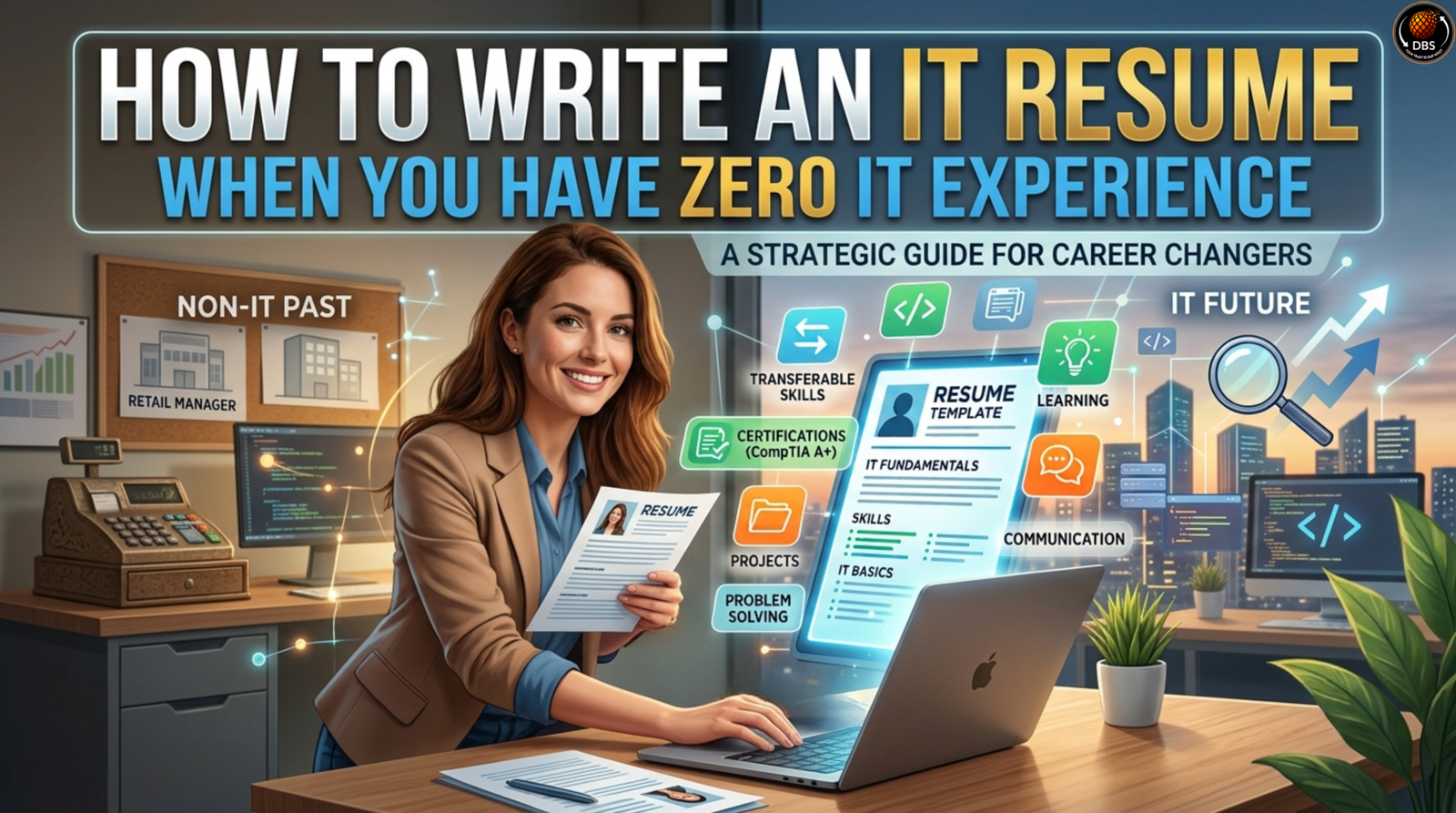
Your previous career may have already given you communication, analytical thinking, problem-solving, documentation, teamwork, customer handling, reporting, process management and business knowledge. When you combine those transferable skills with relevant technical training and practical projects, you can create a resume that presents a much stronger career-transition story.
At Digital Business Solutions IT, we work with professionals who want to make the transition from Non-IT to IT more structured and practical. One of the first things a career switcher needs to understand is that your resume should not attempt to hide your previous background. Instead, it should clearly explain how your previous experience, new technical skills and practical learning can contribute to an IT role.
This guide will show you exactly how to approach your IT resume when you don’t yet have professional IT experience.
Why Is Writing an IT Resume Without IT Experience So Difficult?
The biggest problem is usually not a lack of skills. It is a lack of positioning.
Imagine that you have worked in banking for three years. During that time, you handled customer information, prepared reports, worked with Excel, solved problems, followed processes and coordinated with internal teams. Now you have learned SQL, Excel and Power BI and want to move into Data Analytics.
If your resume simply says:
“Banking Executive – 3 Years Experience”
and then lists SQL, Excel and Power BI at the bottom, the recruiter may not immediately understand your career direction.
Now imagine a resume that says:
“Banking professional transitioning into Data Analytics with experience in reporting, structured data handling, problem-solving and stakeholder communication, supported by hands-on training in SQL, Excel and Power BI.”
The candidate hasn’t lied. The candidate hasn’t claimed three years of Data Analyst experience.
The difference is how the experience has been communicated.
Current career-change guidance recommends emphasizing transferable skills and redesigning your resume around the skills relevant to your new career rather than allowing your previous job title to dominate the application.
Your resume is therefore not simply a record of your past.
It is a bridge between your past experience and your future career
First, Decide Which IT Role You Want
Before writing your resume, answer one important question:
“Which IT role am I actually applying for?”
This matters because IT is not one single career.
IT includes multiple career paths, such as:
- Data Analyst
- Business Analyst
- IT Support
- Software Testing
- Database-related roles
- Networking
- Cybersecurity
- Cloud-related roles
- Software Development
- Technical Support
- Systems and infrastructure roles
A common mistake among career switchers is creating a resume that simply says “Looking for an IT job.”
That is too broad.
A recruiter is hiring for a specific position with specific responsibilities. Your resume should therefore communicate a specific professional direction.
For example:
Weak headline:
IT Fresher Looking for Job
Better headline:
Aspiring Data Analyst | SQL | Excel | Power BI | Business Reporting
Or:
Aspiring Business Analyst | Requirements Analysis | SQL | Documentation | Process Analysis
Or:
Entry-Level IT Support Professional | Linux | Troubleshooting | Networking Fundamentals
The more clearly you define your target, the easier it becomes to decide what belongs on your resume.
Understand What Recruiters Actually Look For
If you have no professional IT experience, you may assume recruiters expect you to have the same background as someone who has already worked in IT for several years.
For entry-level positions, that is not always the case.
Employers can look for evidence of skills, education, practical exposure, communication, responsibility, motivation and willingness to learn, particularly when evaluating candidates with limited professional experience.
This means your resume should answer four questions:
1. What IT role are you targeting?
2. What technical skills have you developed?
3. Where have you applied those skills?
4. What transferable experience can you bring from your previous career?
If your resume answers these questions clearly, your lack of an IT job title becomes much less confusing.
Use a Resume Format That Works for Career Switching
For someone moving from Non-IT to IT, a combination or hybrid resume format can be particularly useful.
Why?
Because you have two stories to tell.
The first story is your professional background.
The second is your new IT career direction.
A traditional chronological resume may put too much emphasis on your previous jobs before the recruiter sees your new skills. A combination resume gives you more space to highlight relevant skills, training and projects while still maintaining your employment history.
Current career-change guidance specifically identifies the combination format as useful because it allows candidates to prioritize transferable and relevant skills before presenting chronological work experience.
A practical structure could look like this:
- Name and contact information
- Target IT role
- Professional summary
- Technical skills
- IT projects
- Certifications and training
- Professional experience
- Education
- LinkedIn/portfolio, where relevant
You don’t need an elaborate design.
Clarity beats decoration.
Write a Strong IT Resume Summary
Your resume summary is especially important when changing careers because it gives the recruiter context before they read your experience.
Do not start with:
“I am an IT fresher with no experience.”
You are immediately highlighting what you don’t have.
Instead, focus on what you have built.
A good career-transition summary can combine:
Previous background + technical training + relevant skills + target role.
For example:
Commerce professional transitioning into Data Analytics with experience in reporting, documentation and business operations, supported by hands-on training in SQL, Excel and Power BI. Strong analytical, communication and problem-solving abilities with a focus on building a career as an entry-level Data Analyst.
This communicates your story in a few lines.
It tells the recruiter:
- Where you come from
- What you have learned
- What you can potentially contribute
- Where you want to go
Current resume guidance also recommends keeping a career-change summary focused, relevant to the target position and aligned with the skills employers are seeking.
A Simple Resume Summary Formula
Use this structure:
[Previous background] + [technical skills] + [transferable skills] + [target IT role].
For example:
Banking professional with experience in customer operations, reporting and data handling, trained in SQL, Excel and Power BI. Strong in analytical thinking, problem-solving and stakeholder communication, seeking an entry-level Data Analyst opportunity.
This is much stronger than simply writing:
Looking for a challenging opportunity in IT.
Build an IT Skills Section Around the Job You Want
Your skills section becomes extremely important when you don’t have professional IT experience.
But there is one rule you should never ignore:
Never list a technology just because it appears in a job description.
If you write Python, SQL, Linux, Java, AWS, Power BI and Tableau on your resume, you should be prepared to answer questions about them.
Instead, list skills you have genuinely learned and practiced.
For example, a beginner Data Analyst resume might include:
Technical Skills:
SQL, Microsoft Excel, Power BI, Data Cleaning, Data Visualization, Basic Statistics
Professional Skills:
Analytical Thinking, Problem-Solving, Communication, Documentation, Team Collaboration
A Business Analyst resume could include:
Technical/Functional Skills:
SQL, Requirement Gathering, Process Mapping, Documentation, Business Analysis Fundamentals, Excel
An IT Support resume might include:
Technical Skills:
Windows, Linux Fundamentals, Networking Fundamentals, Troubleshooting, Hardware Basics, System Administration Fundamentals
The important thing is relevance.
Your skills section should look like it was created for the job you want—not copied from a random IT resume.
Use Job Description Keywords the Right Way
One of the most important parts of modern resume writing is understanding ATS — Applicant Tracking Systems.
Many organizations use ATS software to help process applications. Job descriptions often contain role-specific and industry-specific keywords, and incorporating relevant keywords naturally can help make your resume easier for screening systems to identify.
Suppose you are applying for a Data Analyst position.
The job description repeatedly mentions:
- SQL
- Excel
- Data Analysis
- Reporting
- Data Visualization
- Power BI
If you genuinely possess those skills, make sure they appear naturally throughout your resume.
For example:
Skills:
SQL | Excel | Power BI | Data Analysis | Reporting
Then reinforce those skills through a project:
Analyzed sales data using SQL and Excel and developed a Power BI dashboard to visualize product and regional performance.
Now the keywords aren’t randomly inserted.
They are supported by evidence.
That is much more credible.
Do not keyword-stuff your resume.
The goal is not to trick an ATS. The goal is to make your actual qualifications easy to identify.
Don’t Delete Your Non-IT Work Experience
This is one of the biggest mistakes made by career switchers.
Someone worked for four years in banking and then learned Data Analytics. They create a resume that says:
Data Analyst Fresher
and completely remove four years of professional experience.
That can actually make the profile weaker.
Why?
Because your previous professional experience demonstrates that you already understand workplace expectations.
You have probably worked with deadlines.
You have communicated with people.
You have handled responsibility.
You have solved problems.
You have worked in teams.
You have dealt with pressure.
You have followed processes.
These are valuable professional capabilities.
The goal is not to pretend that your previous career didn’t happen.
The goal is to connect it to your new career.
Turn Transferable Skills Into IT-Relevant Experience
Let’s take a simple example.
Suppose your previous job was in customer service.
Your old resume might say:
Handled customer queries and complaints.
That’s accurate, but it is not very powerful.
You might instead write:
Analyzed customer issues, maintained accurate records, coordinated with internal teams and resolved service-related problems while maintaining communication with customers.
Now the same experience demonstrates:
- Problem-solving
- Documentation
- Data handling
- Communication
- Coordination
- Process management
These skills can be relevant across many IT environments.
Similarly, someone from sales might have experience with:
Client communication → stakeholder communication
Customer requirements → requirement understanding
Sales reports → reporting and analysis
CRM management → structured data handling
Target analysis → performance analysis
Your previous career may contain more relevant experience than you initially realize.
You simply need to identify it.
Add IT Projects Even If You Have Never Worked in IT
This may be one of the most important sections of your resume.
If you have no professional IT experience, projects provide evidence that you have actually practiced your skills.
A certificate tells the recruiter:
“I completed training.”
A project can tell them:
“I used what I learned.”
That distinction matters.
For example, if you are applying for a Data Analyst role, you could create a project using a publicly available dataset.
Example:
Sales Performance Analysis — SQL, Excel & Power BI
Cleaned and analyzed a sales dataset using Excel and SQL, identified product and regional performance trends, created business-focused metrics and developed a Power BI dashboard to visualize key findings.
Now your resume demonstrates practical exposure to:
- Data cleaning
- SQL
- Excel
- Analysis
- Business understanding
- Data visualization
- Power BI
You don’t need to claim that this was professional employment.
Simply label it honestly as a project.
Current guidance for entry-level and career-change resumes recommends including relevant projects when professional experience in the target field is limited.
What If You Have No IT Projects?
Start one.
You don’t have to wait for a company to give you permission to build your first project.
If you are learning Data Analytics, analyze a dataset.
If you are learning Business Analysis, create a business requirements document and process flow for a realistic business scenario.
If you are learning IT Support, document troubleshooting scenarios.
If you are learning SQL, create a database project.
If you are learning software testing, create test cases for a sample application.
The objective is to transform:
“I learned this.”
into:
“I learned this and applied it.”
That is a much stronger story.
Include Certifications and IT Training
Your education and training become particularly important when changing careers.
If you have completed relevant training in:
- SQL
- Data Analytics
- Business Analysis
- Linux
- Networking
- Software Testing
- Cloud Computing
- Programming
- Database Management
include it clearly.
But don’t simply create a huge list of certificates.
Focus on certifications and training relevant to the job you are targeting.
For example:
Professional Training
Data Analytics Program
SQL | Excel | Power BI | Data Analysis | Data Visualization
Or:
Business Analysis Training
Requirement Gathering | Documentation | SQL | Process Analysis | Business Communication
The purpose of this section is to demonstrate that your move into IT is intentional and structured.
Education Still Matters — Even If Your Degree Is Non-IT
You do not need a computer science degree to explain your career transition.
A commerce graduate can transition into Data Analytics.
A banking professional can explore Business Analysis.
An operations professional can develop technical skills.
A graduate from another discipline can build a career in an IT-related role by developing the skills required for that particular position.
Your degree should be presented honestly.
For example:
Bachelor of Commerce — XYZ University
Then your IT training can appear separately:
Professional IT Training — Data Analytics
This tells a clear story:
Education → Professional Experience → IT Skill Development → Practical Projects → Target IT Career
Your resume becomes a timeline of your professional evolution.
Create an ATS-Friendly IT Resume
An ATS-friendly resume does not need to look boring.
It needs to be clear, structured and readable.
Use recognizable section headings such as:
- Professional Summary
- Technical Skills
- Projects
- Certifications
- Professional Experience
- Education
Avoid filling your resume with excessive graphics, complicated layouts or information embedded inside images.
Use keywords naturally.
Keep formatting consistent.
Use a professional email address.
Check spelling and grammar carefully.
And always follow the application instructions regarding file format. Current ATS guidance recommends checking the employer’s requirements because accepted file formats can vary, although PDF is commonly used when permitted.
Remember:
Your resume should be designed for both technology and humans.
An ATS may scan it first, but eventually a recruiter needs to understand your story.
A Practical IT Resume Structure for Non-IT Professionals
Here is a simple structure you can adapt:
1. Name and Contact Details
Include:
- Full name
- Phone number
- Professional email
- City/location
- LinkedIn profile
- Portfolio/GitHub, if relevant
2. Target Role
Example:
Aspiring Data Analyst
3. Professional Summary
Two to four lines explaining your background, skills and career direction.
4. Technical Skills
List relevant technical skills.
5. Projects
Show practical application of your skills.
6. Certifications/Training
Include relevant learning.
7. Professional Experience
Highlight transferable responsibilities and achievements.
8. Education
List degree, institution and relevant details.
This structure closely follows current guidance for entry-level and career-change resumes, where skills, training and projects can receive stronger visibility when direct experience is limited.
IT Resume Example for Someone Switching From Non-IT to IT
Let’s consider a hypothetical candidate.
Rahul Sharma
Target Role: Entry-Level Data Analyst
Professional Summary
Banking professional transitioning into Data Analytics with experience in reporting, customer operations and structured data handling. Trained in SQL, Excel and Power BI with hands-on project experience in data analysis and visualization. Strong analytical thinking, problem-solving and communication skills, seeking an opportunity to begin a career as a Data Analyst.
Technical Skills
SQL | Excel | Power BI | Data Cleaning | Data Analysis | Data Visualization | Reporting
Project
Sales Performance Dashboard — Excel & Power BI
Analyzed sample sales data, cleaned and organized records using Excel, created performance metrics and developed a Power BI dashboard to identify sales trends across products and regions.
Professional Experience
Banking Executive | XYZ Bank
Managed customer records and verified transaction information while maintaining accuracy across daily banking operations.
Prepared recurring reports and worked with structured information to support operational activities.
Resolved customer issues by analyzing available information and coordinating with internal teams.
Training
Data Analytics Professional Training
SQL | Excel | Power BI | Data Analysis | Data Visualization
Education
Bachelor of Commerce
This resume doesn’t pretend Rahul has five years of Data Analytics experience.
It does something better.
It demonstrates a credible career transition.
Common IT Resume Mistakes to Avoid
Writing “IT Fresher” and Stopping There
Being new to IT doesn’t mean you have nothing to offer.
Explain your background and skills.
Listing Too Many Technologies
Don’t write 20 tools you barely understand.
Choose relevant skills you can explain.
Hiding Your Previous Experience
Your previous career can demonstrate professional maturity and transferable skills.
Use it.
Using One Resume for Every Job
A Data Analyst resume and an IT Support resume should not look exactly the same.
Tailor your resume to the role.
Current career guidance recommends customizing resumes around the specific skills and requirements of the target position.
Writing a Generic Objective
Avoid:
Seeking a challenging position in a reputed organization.
Instead:
Seeking an entry-level Data Analyst role where SQL, Excel, Power BI and analytical skills can be applied to business data and reporting.
Claiming Skills You Cannot Demonstrate
If you write it on the resume, be ready to discuss it in the interview.
Ignoring Projects
If you don’t have professional IT experience, projects can become some of the strongest evidence on your resume.
How Digital Business Solutions IT Supports Your Non-IT to IT Journey
Changing careers is more than completing a technical course.
You need to understand the role you are targeting, develop relevant skills, practice those skills, create projects, build a professional resume, improve communication and prepare for interviews.
That is why Digital Business Solutions IT focuses on the broader Non-IT to IT career transition.
The objective is to make the journey more structured for professionals who are starting from a different educational or professional background.
Whether your background is in commerce, banking, BPO, sales, operations, administration or another Non-IT field, the first step is understanding which IT pathway aligns with your skills, interests and career goals.
From there, your journey should move through learning, practical application and career preparation.
And your resume should reflect that journey.
You don’t need to wait until you get your first IT job to start building an IT profile.
Start building it now.
Learn.
Practice.
Create projects.
Develop relevant skills.
Improve your professional profile.
Then use your resume to communicate the progress you have made.
Your IT Resume Checklist Before You Apply
Before sending your resume to an employer, ask yourself:
Career Direction
- Is my target IT role clearly mentioned?
- Does my resume look relevant to that role?
Technical Skills
- Have I listed the technical skills required for the position?
- Can I explain every technical skill I have mentioned?
Projects
- Have I included practical projects?
- Does each project explain the tools used and what I actually did?
Previous Experience
- Have I highlighted transferable skills?
- Have I connected my previous experience to the new career where appropriate?
Training
- Have I included relevant certifications and professional training?
ATS
- Have I included relevant job-description keywords naturally?
- Is the formatting simple and readable?
- Are the section headings clear?
Professional Quality
- Is my email address professional?
- Is my grammar correct?
- Have I removed unnecessary information?
- Is my LinkedIn profile updated?
- Have I customized the resume for the specific job?
If you can answer yes to most of these questions, your resume is already moving in the right direction.
Final Thoughts: Your First IT Resume Is the Beginning, Not the Finish Line
Having zero professional IT experience does not mean you have zero value.
Your previous career gave you experiences.
Your education gave you a foundation.
Your IT training gives you new technical knowledge.
Your projects give you practical evidence.
Your transferable skills give you professional strength.
Your resume brings all of these pieces together.
The biggest mistake is looking at your career transition from the perspective of what you don’t have.
Instead of saying:
“I don’t have IT experience.”
start thinking:
“I have professional experience, I am developing IT skills, I have practical projects, and I am preparing for an IT role.”
That is a completely different story.
And that story should be visible from the first few lines of your resume.
For professionals looking to move from Non-IT to IT, the journey may require learning new technologies, understanding new job roles and developing a different professional profile. But the transition becomes much more manageable when each step is connected:
career direction → relevant skills → practical learning → projects → resume → interview preparation → career opportunity.
At Digital Business Solutions IT, the focus is on helping Non-IT professionals understand and navigate this transition with a structured approach to IT learning and career preparation.
Your first IT job may be ahead of you.
Your resume is where you start telling employers why you are ready for the opportunity.
Don’t write your resume to prove that you already have an IT career. Write it to demonstrate that you are prepared to begin one.
Frequently Asked Questions
Can I get an IT job without previous IT experience?
Yes. Entry-level opportunities exist across different areas of IT, and candidates can demonstrate their readiness through technical skills, training, projects, education and transferable professional experience. The key is to target an appropriate role and present evidence that you can perform its core responsibilities.
What should I write in my IT resume if I have no IT experience?
Focus on your professional summary, technical skills, projects, relevant training, transferable skills, education and previous employment. Instead of hiding your Non-IT background, explain how the skills developed through your previous work can support your target IT role.
Should I mention my Non-IT experience on an IT resume?
Yes. Your previous experience can demonstrate communication, problem-solving, documentation, teamwork, reporting, customer management and other transferable abilities. Career-change resume guidance specifically recommends emphasizing transferable skills when moving into a new industry.
Are IT projects necessary for a fresher?
They are not always mandatory, but they can be extremely valuable when you have limited professional experience in IT. Projects give employers practical evidence of how you have applied your technical learning. They can also help you discuss your skills more confidently during interviews.
How many pages should my IT resume be?
For someone beginning an IT career or making an early-stage transition, a concise resume is generally preferable. Focus on the information most relevant to the specific position rather than trying to include your entire professional history. The goal is to make your qualifications easy to understand quickly.
Should I create a different resume for every IT job?
You don’t necessarily need to create an entirely different resume from scratch, but you should tailor your resume to each target role. Adjust the summary, skills, project emphasis and relevant experience based on the job description. Customization can make it easier for recruiters to see why your background matches the position.
Start Your Non-IT to IT Career Journey With Digital Business Solutions IT
If you’re ready to move beyond simply searching for “IT jobs for non-IT professionals” and want to understand how to build the skills, profile and career direction required for the transition, explore the learning and career opportunities available through Digital Business Solutions IT.
Your previous career doesn’t have to define your next career.
It can become the foundation for it.
Take the first step toward your IT career today.
Digital Business Solutions IT — Helping Non-IT Professionals Build Their Future in IT.
Book your free career consultation: https://forms.gle/spZqzEs2WGxepktg6
Watch real stories and career tips on our podcast: https://youtu.be/xlrOIaZTwWI
Follow Digital Business Solutions IT for weekly career tips:
- Instagram: @official_biplob_mandal
- LinkedIn: Biplob Mandal
Call us: +91 9307867881 / +91 7558759407
Email: contactus@digitalbusinesssolutionsforyou.com
Visit us: Office No. 412, 4th Floor, City Space, Digital Business Solutions IT, Pune Nagar Rd, above Aakash Eye Clinic, Viman Nagar, Pune, Maharashtra 411014
- BPO to IT: How to Change Career from BPO to IT Jobs
- How long does it actually take to switch from Non-IT to IT?
- Best Cities in India for a Non-IT to IT Career Switch (2026)
- SQL for Beginners: The One Skill That Opens IT Analyst Jobs
- What i wish I knew before switching from Non-IT to IT
- Top 10 Interview Questions for Non-IT to IT Career Switchers (and How to Answer Them)
Tag:ATS-friendly IT resume, entry-level IT resume, IT jobs for non-IT professionals, IT projects, IT resume for career changers, IT resume for freshers, Learn how to write an IT resume with zero IT experience. Discover ATS tips, Non-IT to IT career switch, resume for IT jobs with no experience, technical resume with no experienceIT resume with no experience, technical skills and resume examples for Non-IT to IT career switch, transferable skills